Why I Built a Simple Invoicing Tool for Freelancers
After 14 years of freelancing and trying every invoicing app out there, I built my own. Professional PDFs, client management, audit trail, and no bloat.

I have been freelancing for 14 years. In that time I have used every invoicing approach imaginable — Word documents, Google Sheets with formulas, paid SaaS tools that cost more per month than some of my invoices were worth. None of them did exactly what I needed without doing fifty things I did not need.
So I built Invoice by FluxWillow — a straightforward invoicing tool for freelancers and small businesses who want professional PDFs, client management, and an audit trail without the bloat.
What it actually does
The tool handles the core invoicing workflow: add your clients, create invoices with line items, generate bank-ready PDFs, email them, and track payment status. Every invoice moves through a clear lifecycle — Draft, Sent, Paid, Overdue — visible on your dashboard at a glance.
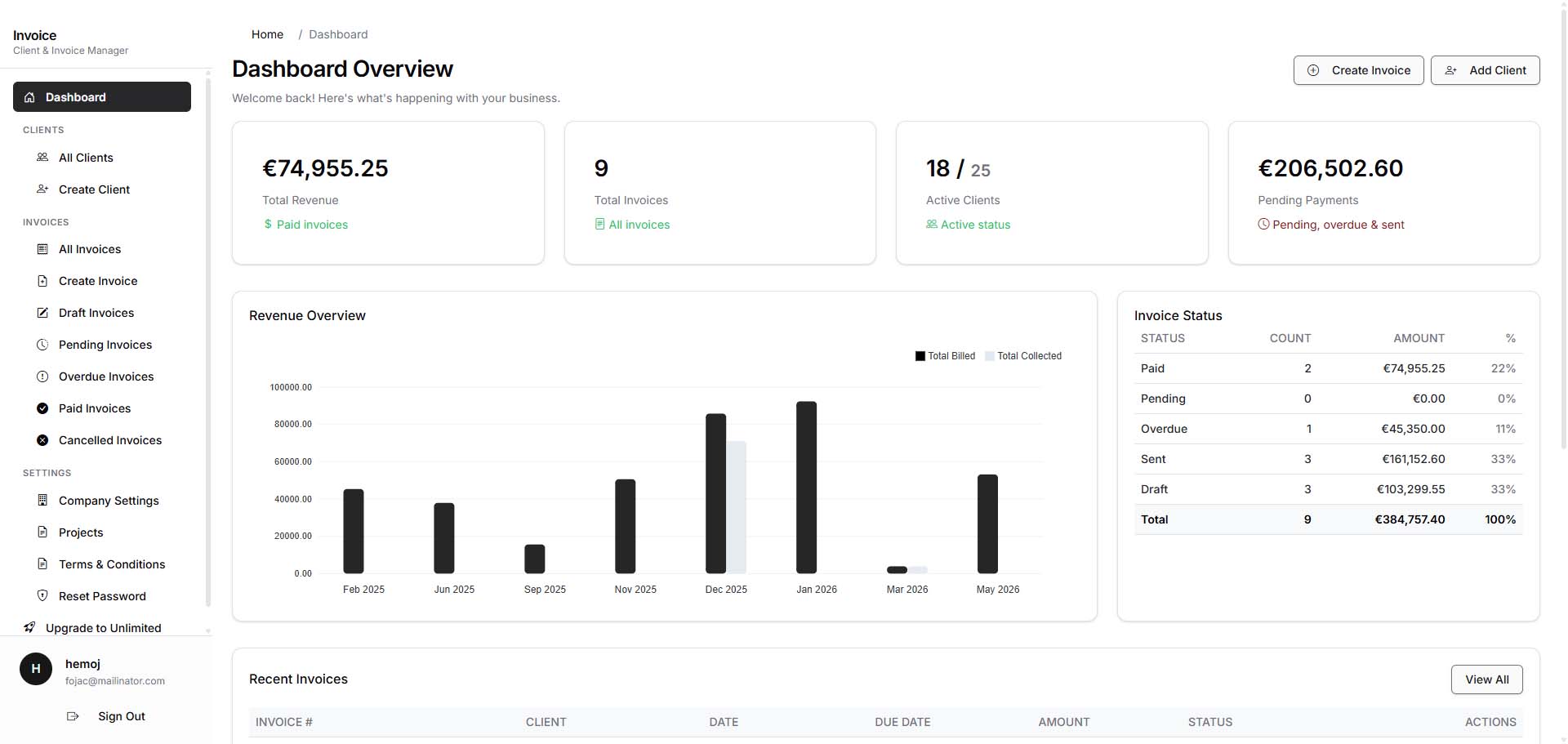
You set up your company profile once — business name, tax ID, banking details — and it appears on every PDF automatically. No copy-pasting your IBAN into every document. No forgetting to update your address after you move.
Why I built it instead of using something else
The invoicing tools I tried fell into two categories. Free ones that looked unprofessional and had no audit trail. Paid ones that charged $15-30 a month and buried the features I actually needed behind upsells for payroll, time tracking, and expense management I would never use.
I wanted something in between. A tool that produces clean, professional PDFs with my banking details on them. A tool that logs every edit and status change so I have a record if a client disputes a payment. A tool that does not require my clients to create an account just to receive an invoice — they get a PDF attachment in their email and that is it.
The audit trail
This was non-negotiable for me. Every action in the system is logged — when an invoice was created, when it was edited, when the status changed, who changed it. If you are dealing with international clients or operating across tax jurisdictions, having a verifiable history of your billing activity is not a luxury. It is a requirement.
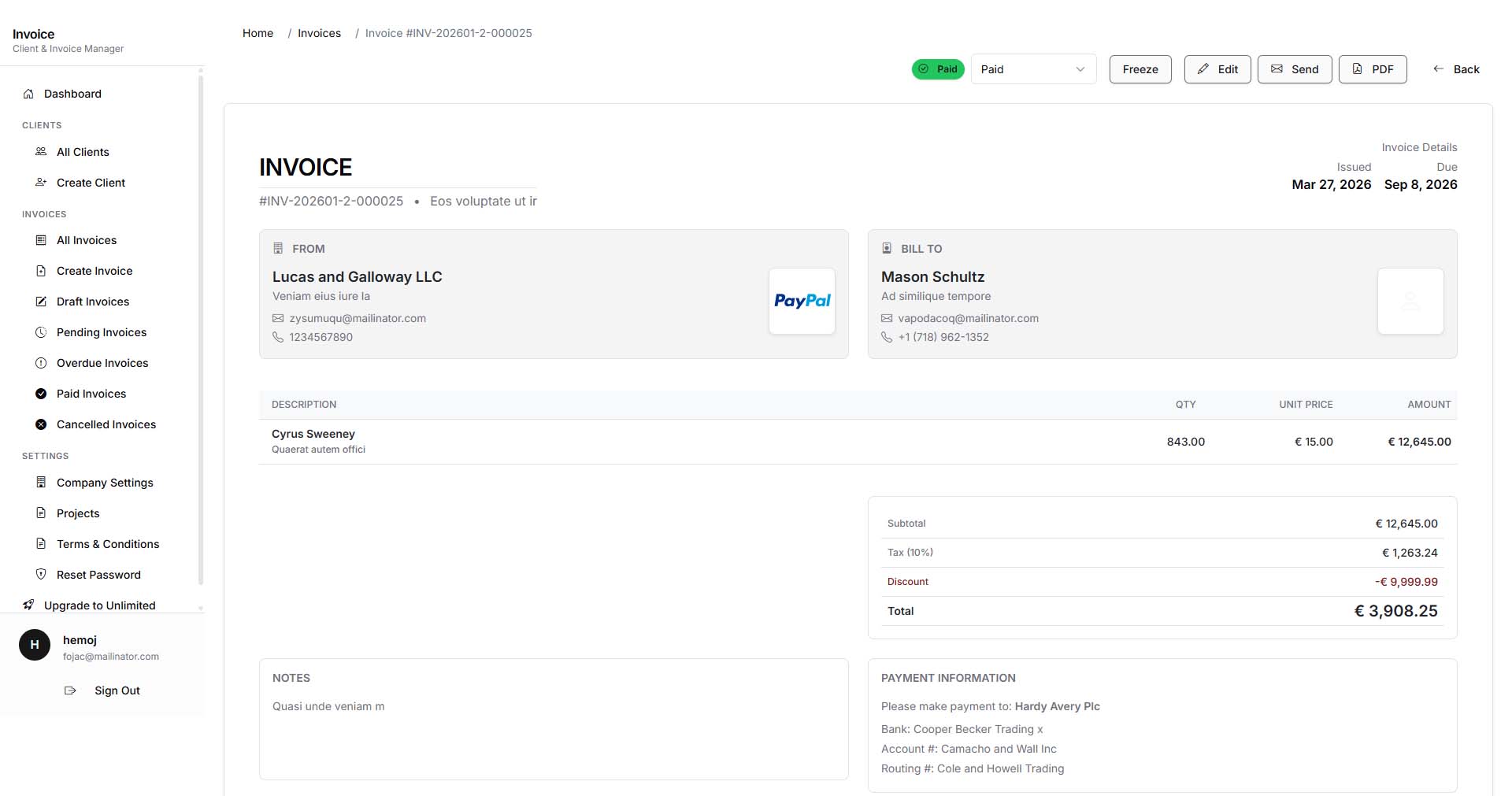
PDF generation
The PDFs include your company branding, tax identification number, and full banking information. They are designed to look like something a real business sends — not a template with a watermark begging you to upgrade. On the free plan you get standard PDFs. On the unlimited plan the watermark is removed entirely.
Client management
You add clients manually with their contact details, and the system keeps a history of every invoice you have sent them. It is not a CRM. It does not try to be. It gives you one place to see a client's billing history, outstanding amounts, and contact information without switching between three different apps.
Performance metrics
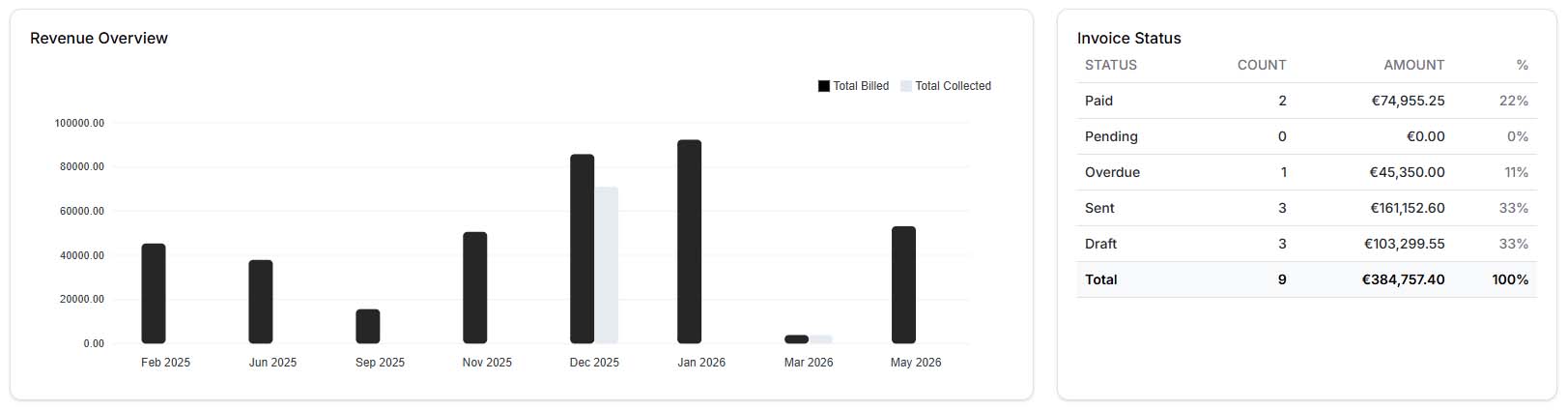
The dashboard includes visual charts showing revenue trends, client activity, and payment status breakdowns. It is basic but useful — enough to answer "how much did I invoice last quarter" without exporting to a spreadsheet.
Pricing
The free plan is permanent — up to 6 clients, no credit card, no time limit. For most solo freelancers starting out, that is enough. If you outgrow it, the unlimited plan is $9.99 a month (or less on annual billing) and removes all client limits plus the PDF watermark.
I deliberately kept the pricing simple. One free tier, one paid tier. No "Pro Plus Enterprise Gold" nonsense.
Who this is for
Freelancers who send 5-20 invoices a month and want them to look professional. Small businesses that need a payment audit trail without adopting a full accounting suite. Anyone who has been burned by an invoicing tool that shut down or tripled its price overnight.
Try it free here — no credit card, no commitment. If you outgrow the free tier, upgrading takes one click.